Convert Word to PostScript: A Practical Guide for Users and Developers
Reliable Ways to Convert Word to PostScript Without Microsoft Word
In This Content:
- What Is PostScript and Why Use It?
- Method 1. Convert Word to PostScript Online with CloudXDocs
- Method 2. Programmatic Word-to-PS Conversion with Spire APIs
- How to Choose the Best Word-to-PostScript Conversion Method
When you need to prepare Word documents for high-quality printing, publishing workflows, or legacy systems, converting your .doc or .docx files to PostScript (PS) format can be a crucial step. PostScript is a page description language developed in the 1980s that retains precise layout, typography, and print instructions, making it ideal for professional print environments.
In this article, we’ll walk through what PostScript is, why you might need it, and multiple ways to convert Word to PS — from online tools to programmatic APIs for developers.
What Is PostScript and Why Use It?
PostScript is a text-based page description standard widely used in professional printing and publishing workflows. It enables printers and output devices to render pages with high precision in a device-independent manner. Unlike PDF—which is designed for both on-screen reading and printing—PostScript focuses almost exclusively on print accuracy and layout control. By describing how text and graphics should be rendered on the page, it remains a trusted format in print shops, legacy publishing systems, and specialized graphic environments.
Because of these characteristics, users often need to convert Word documents to PostScript in specific real-world scenarios, for example:
- Commercial printing: Print service providers may require PS files to ensure consistent color reproduction and layout accuracy across different printers.
- Legacy publishing systems: Older typesetting or document management systems only accept PostScript as input, making PS conversion a necessary step.
- Prepress and proofing workflows: Designers and engineers may use PS files to generate proofs or to verify page layout before final printing.
- Cross-platform printing environments: In mixed operating systems or network printers, PostScript serves as a stable, device-independent interchange format.
- Automated document processing: Some enterprise workflows rely on PS files as intermediate output for further transformation or archival.
However, modern word processors such as Microsoft Word do not provide a direct “Save as PostScript“ option. This often leaves users unsure how to produce PS files from DOC or DOCX documents.
To address this gap, there are several practical and reliable methods for generating PostScript from Word files. The following sections will walk through these approaches in detail, explaining how each method works and when it is most appropriate to use.
Method 1. Convert Word to PostScript Online with CloudXDocs
If you’re looking for a quick and easy way to convert Word files without installing software, online converters can help. These web tools allow you to upload your .doc or .docx document and download a .ps file in just a few clicks.
CloudxDocs is a web-based document processing platform that allows users to convert, view, and manage documents directly in the browser without installing any software. Designed for both individual users and developers, it offers a simple yet powerful way to handle document format conversions, including Word to PostScript, through an intuitive online interface.
Users can benefit from the following key features:
- Security: All uploaded files are automatically deleted within 24 hours, ensuring data privacy and minimizing the risk of file retention.
- Diverse File Format Support: CloudXDocs supports a wide range of document formats, enabling seamless conversions between Word, PDF, ODT, and more.
- Totally Online: The entire workflow runs in the browser, eliminating the need for local installations, plugins, or system-specific configurations.
- Backed by AI: AI-powered processing enhances conversion accuracy, layout consistency, and overall performance across different document types.
Below are the step-by-step instructions for converting Word to PostScript using CloudXDocs:
Step 1. Go to the official website of CloudxDocs Online Word to PostScript Converter.
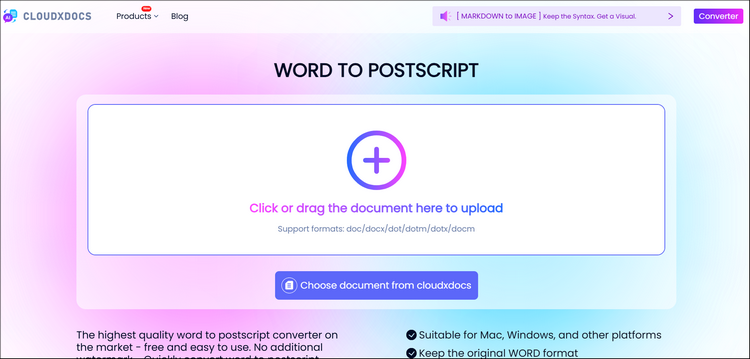
Step 2. Drag or click to choose your Word file that you’d like to convert to PS format.
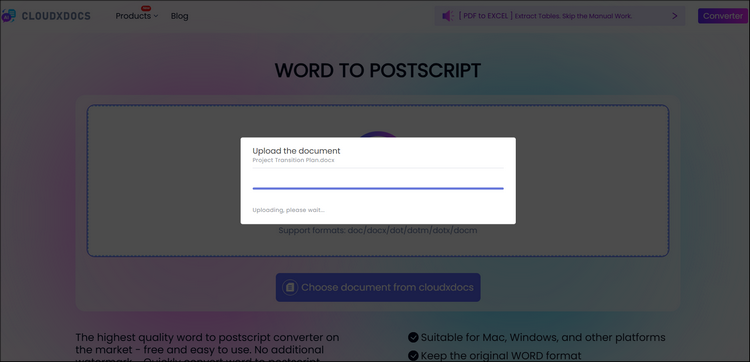
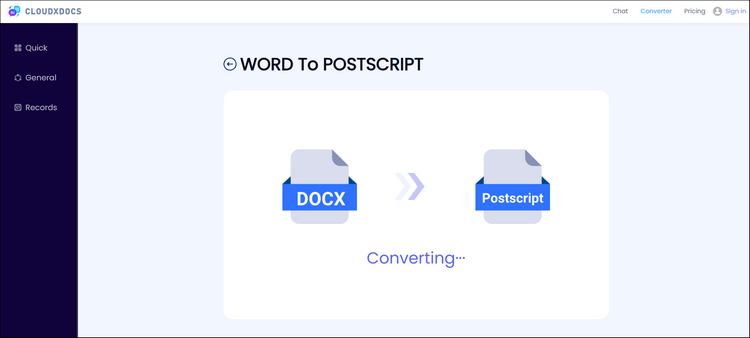
Step 3. CloudxDocs will automatically analyze the uploaded Word file and begin conversion immediately. Just wait for seconds.
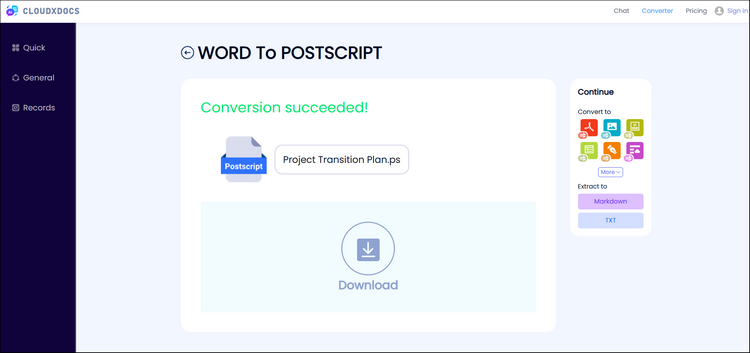
Step 4. After conversion, you can click the “Download“ button to save the converted PostScript file to your local file location.
Method 2. Programmatic Word-to-PS Conversion with Spire APIs
Online Word-to-PostScript converters are convenient for occasional use, but they are often not suitable for scenarios that require batch processing, automation, or deeper integration. If you want to embed Word-to-PS conversion directly into your own applications—such as document processing systems, backend services, or automated workflows — a programmatic approach is a better choice.
In this case, you can rely on dedicated document processing APIs to convert Word documents to PostScript format through code, giving you more control, stability, and flexibility. Spire.Doc for .NET is a professional Word document processing library designed for .NET applications. It allows developers to create, read, edit, and convert Word documents (DOC and DOCX) without relying on Microsoft Word.
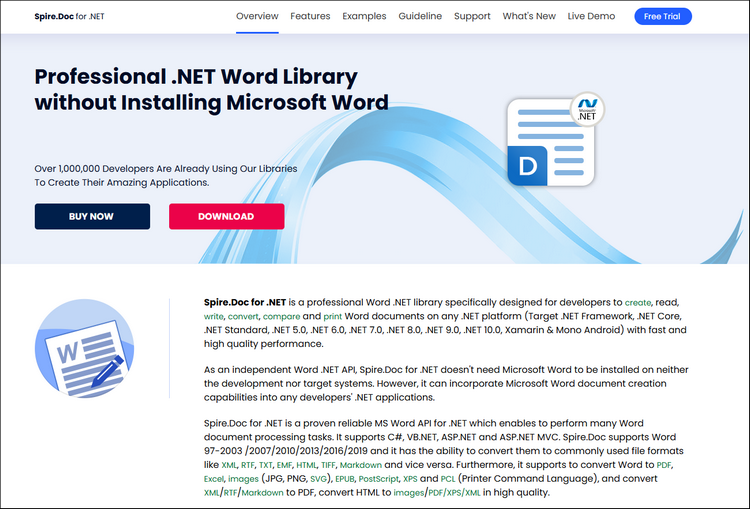
With Spire.Doc for .NET, you can convert Word documents to PostScript format through simple API calls while preserving the original layout and formatting. This makes it suitable for backend services, document processing systems, and automated workflows that require reliable and consistent document conversion.
After adding Spire.Doc for .NET to your dependencies, you can copy the following sample code to manage Word to PostScript conversion:
1 | using Spire.Doc; |
To learn more details about using Spire.Doc for .NET to manage file format conversion, you can refer to this tutorial: How to Convert Word to PostScript in C#.
How to Choose the Best Word-to-PostScript Conversion Method
With multiple ways to convert Word documents to PostScript, the best approach depends largely on your usage scenario, technical requirements, and workflow scale. While both online tools and programmatic APIs can produce valid PS files, they serve very different needs.
To help you decide, consider the following guidelines:
- Choose an online converter if you need speed and simplicity: Online tools like CloudXDocs are ideal for occasional or one-time conversions. They require no installation, work across platforms, and are easy to use for non-technical users. This approach is best when file volume is low and automation is not required.
- Choose an API-based solution if you need automation or integration: If you are building a document processing system, handling batch conversions, or integrating Word-to-PS functionality into backend services, a programmatic solution is more suitable. Libraries such as Spire.Doc for .NET allow you to perform conversions entirely in code, offering greater control, consistency, and scalability.
- Consider environmental and deployment constraints: Online converters depend on internet access and external services, while API-based solutions run locally or on servers and can be integrated into existing .NET or Java applications. For enterprise or long-term workflows, APIs generally provide better stability and maintainability.
By aligning your choice with your actual workflow requirements, you can achieve reliable PostScript output without unnecessary complexity.
Conclusion
Converting Word documents to PostScript is still an essential task in many printing, publishing, and legacy system workflows. Although Microsoft Word does not offer a native “Save as PostScript” option, modern tools and APIs make the conversion process straightforward and reliable.
For quick, one-off tasks, online converters provide a fast and accessible solution. For developers and organizations that require automation, batch processing, or system-level integration, programmatic approaches using APIs such as Spire.Doc for .NET offer greater flexibility and control.
By understanding the strengths of each method and selecting the one that fits your technical and operational needs, you can ensure accurate Word-to-PostScript conversion while maintaining layout fidelity and workflow efficiency.